01 / How it works
Start with the investment overview.
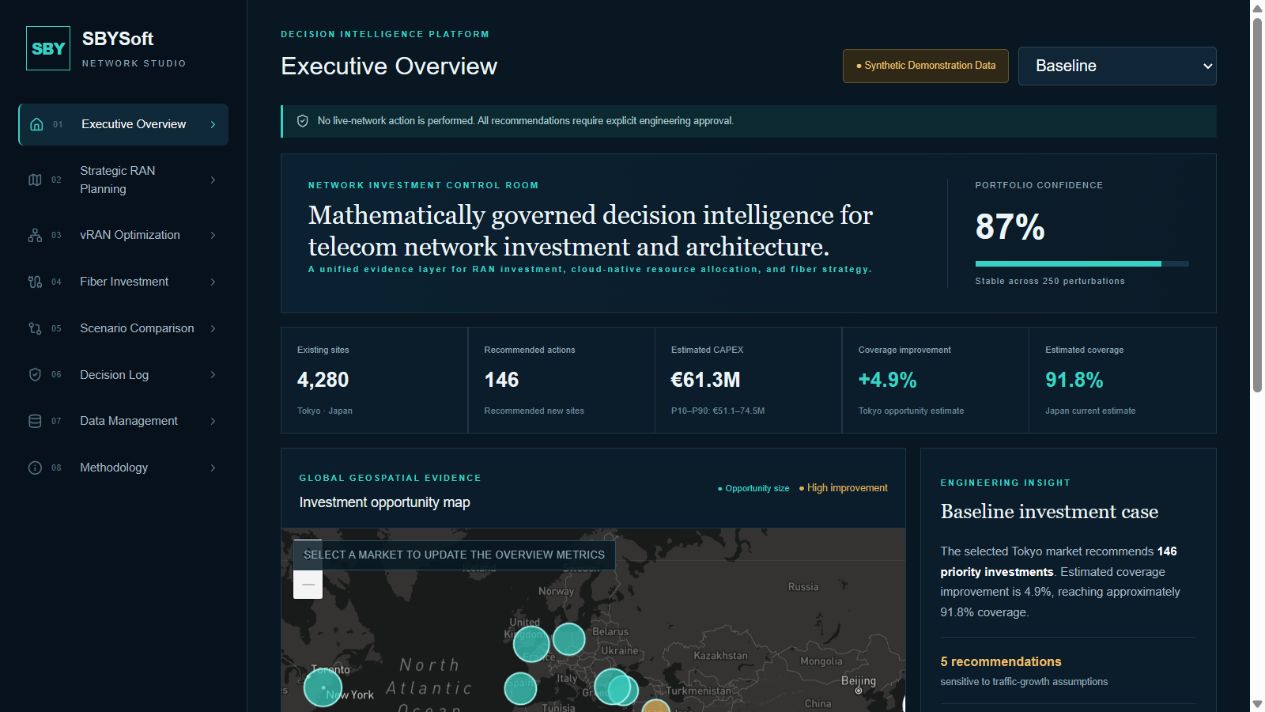
Review market-level indicators, estimated CAPEX and coverage opportunities. The executive dashboard brings the investment map and engineering insights into one view.
SBYSoft / Interactive demo
Network Investment & Architecture Studio connects telecom investment planning, geospatial evidence and transparent scenario analysis.
Synthetic demonstration data. No live-network execution. Recommendations require engineering approval.
01 / How it works
Review market-level indicators, estimated CAPEX and coverage opportunities. The executive dashboard brings the investment map and engineering insights into one view.
02 / How it works
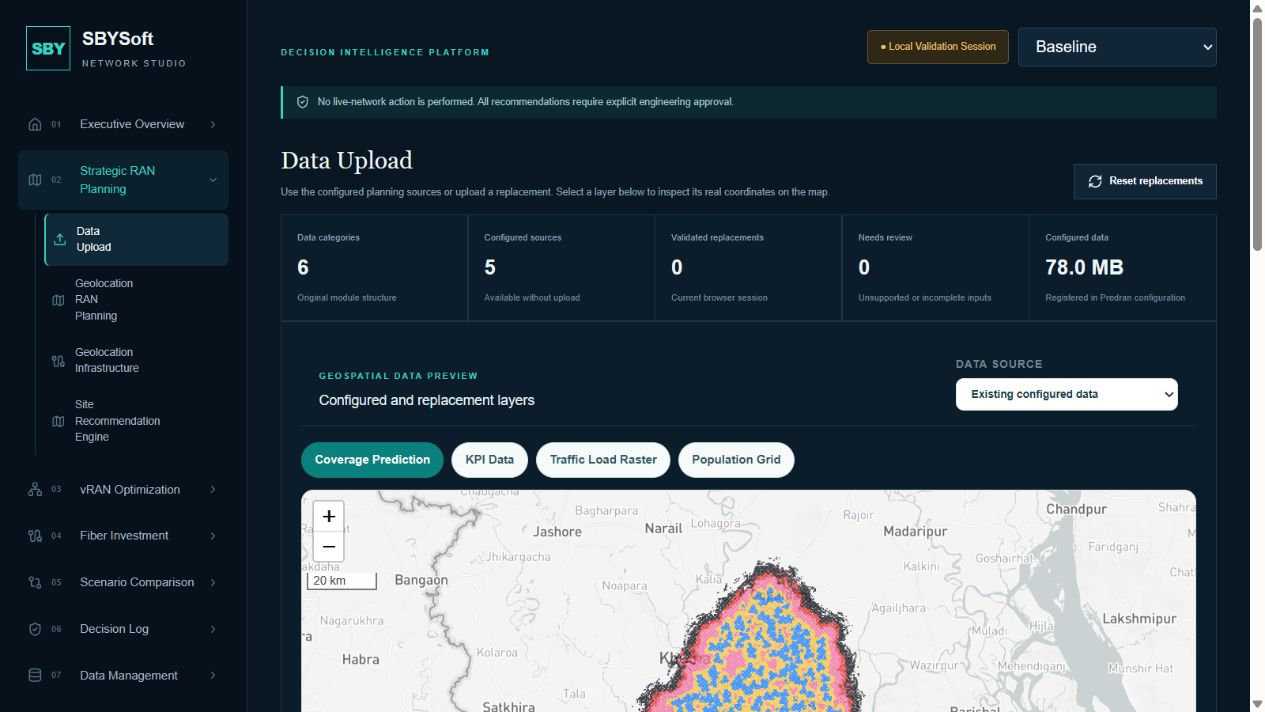
Under Strategic RAN Planning, open Data Upload to review configured coverage, KPI, traffic, drive-test and population sources. Preview geospatial layers on the map or select replacement files for browser-side validation.
03 / How it works
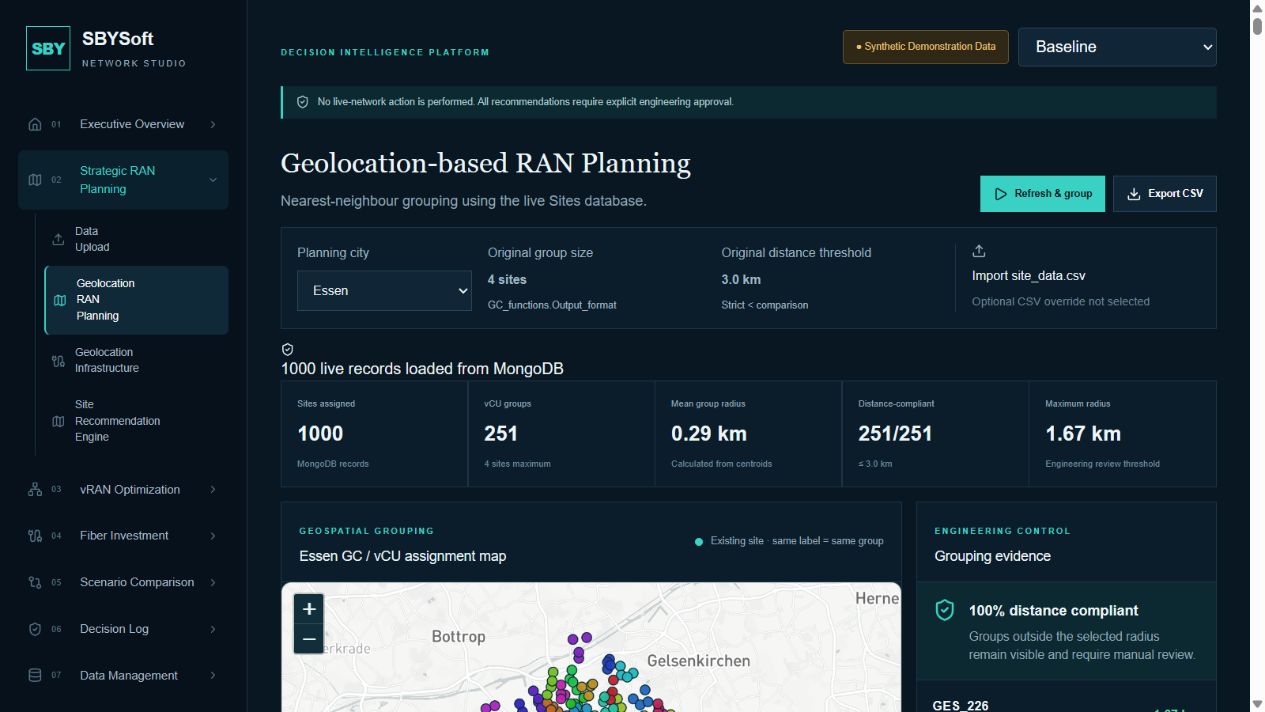
Select a planning city and inspect geographic site grouping into GC and vCU assignments. Review group radius, distance compliance and the coordinate register before exporting the results for engineering review.
04 / How it works
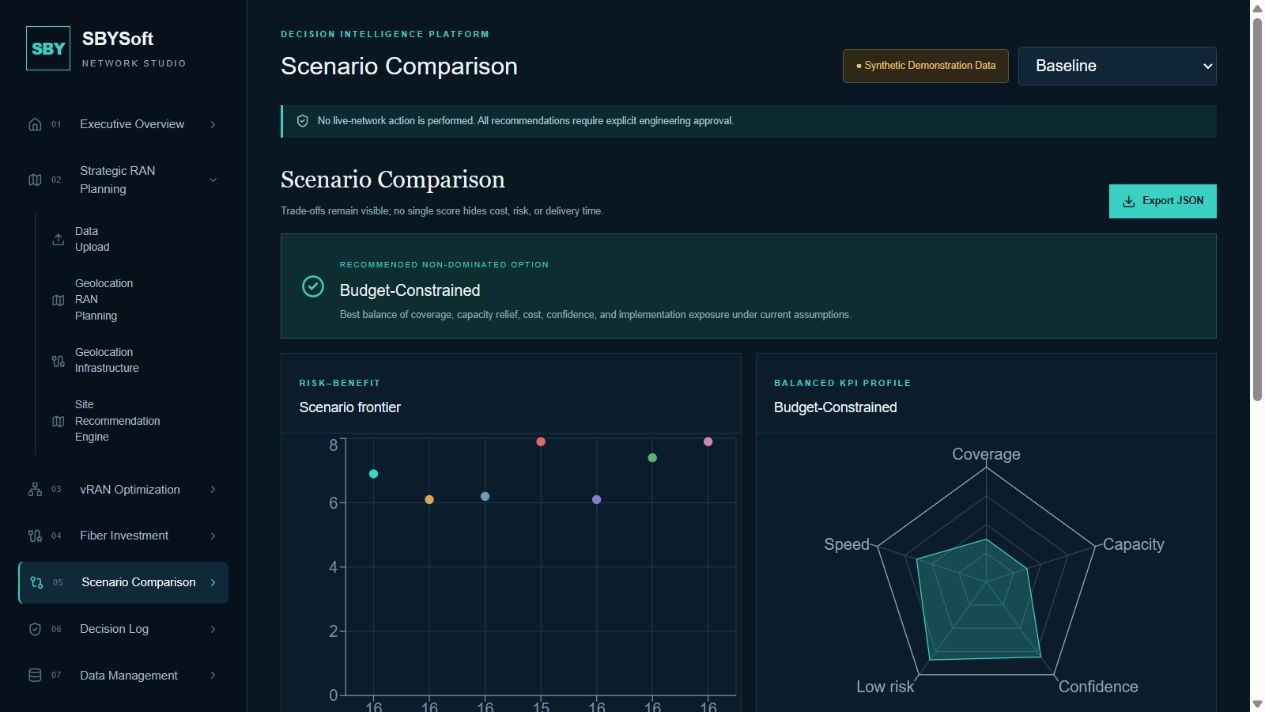
Open Scenario Comparison to compare coverage, capacity, CAPEX, risk, confidence and implementation time across alternative strategies. Use the evidence to guide engineering review.
Explore the platform